Free Image Compressor to 100KB Online Free Without Losing Quality | CliptaAI

Free Image Compressor to 100KB Online Free Without Losing Quality

Compress JPG & PNG Images Instantly with High Quality Output

📤 Select Image
Size: KB

How to Compress Image to 100KB Online

Upload your image, choose the size and compress instantly without losing quality.

Why Use This Free Image Compressor?

This tool is fast, secure and works directly in your browser. No upload or signup required.

Compress Image to 100KB Online free | CliptaAI

In todays fast digital world, managing image size has become very important Whether you are uploading images for websites, filling out government forms, sending email attachments, or sharing photos on social media, large image files can create problems. That’s why tools like CliptaAI help you to compress image to 100KB online free without losing quality. Compress Image to 100KB Online Free | CliptaAI

If you are looking for an easy, fast and reliable way to reduce image size, this complete guide will help you understand everything-from basic concepts to advanced tips.

What is image Compression?

Image compression is the process of reducing the file size of an image while maintaining its quality. Large images contain extra data that is not always necessary. By removing this extra data you can the file smaller without afftecting how its looks.

Compress Image to 100KB Online Free | CliptaAI

There are two types of compression:

  • Lossy Compression – reduces size but may slightly affect quality
  • Lossless Compression – reduces sizwe without noticeable quality loss
    Most modern tools like CliptaAI use smart algorithms to balance both
compress image to 50kb without losing quality

Why you Need to Compress Images

There are many reasons why you should compress  images.

Compress Image to 100KB Online Free | CliptaAI

This compressing Images helps you in many ways for Ex.

  • Easy to transfer images
  • Reduce the timeline
  • Faster accesable 

1. Faster Website Speed

Large images slow down your website. Compressing images improves loading speed and SEO ranking.

Many Government and jobs application forms require images under a specific size 50KB or 100KB.

3. Save Storage Space

Compressed images take less spcace on your device or cloud storage.

4. Better Sharing Experience

Smaller images are easier are easier to send via emails, WhatsApp, or social media.

Compress Image to 100 Online Free

The most common requirements Today is to  compress image to 100KB Online free. This size is widely accepted  for:            .

  • Online forms .
  • Profile picture
  • Ducament uploads
  • Resume submissions
    With CliptaAI, you can easily compress image to exactly 100KB online free and reduce image size without losing quality, without installing any software.

How to Compress Image to 100KB

Follow these simple steps:

  1. Upload your image (JPG or PNG)
  2. Select target size (100KB)
  3. Click on the compress button
  4. Download your optimized image.
    This process takes only a few second and works on mobile and desktop.

Compress Image to 100KB Online Free

Sonetimes, you need smaller images like 100KB. This is common for.

  • Passport photos
  • Government portals
  • Job Applications
    You can also Compress image to 100kb online free using the same tool by adjusting the target size.

Reduce Image Size Without Losing Quality

One of the biggest concerns is quality loss. Many people worry that compressing an image will make it blurry or pixelated.

However, modern tools use advanced optimisation to:

  • Maintain sharpness
  • Preserve colors
  • Keep image clarity
    That’s why you can reduce image size without losing quality easily.
  •  

Compress Large Image to Small Size

If you have a high-resolution image (like 5mb or more), you can still compress it to a smaller size such as 100KB or 50KB.

Steps Include:

  • Reducing resolution
  • Adjusting compression level
  • Removing unnecessary metadata
    This helps in converting large files into manageable sizes. 

Online JPG Compressor Free

JPG is the most common image format used for the photos. A good online JPG image compressor free tool can:

  • Reduce file size significantly
  • Maintain image quality
  • Work quickly

PNG Image Compression Online Free

PNG images are used for graphics and transparent back grounds.

Compressing PNG images is slightly different because:

  • They are usually larger in size
  • They maintain Transparency
    Compress Image to 100KB Online Free | CliptaAI
    A good PNG image compression online free tool ensures no loss of transparency.

Compress Image for Government Forms

Many users search for ways to Compress image for the government forms because portals often have strict size limits.

Using CliptaAI|, you can

  • Set exact KB size
  • Ensure proper format
  • Upload without errors
    Compress Image to 100KB Online Free | CliptaAI

Resize Image for Passort Online

Passport photos require specifics dimensions and size. you can easily:

Compress Image to 100KB Online Free | CliptaAI

  • Resize image for passport online
  • Compress to require KB
  • Maintain Clarity

Compress Image for Website Fast

Website performance is directly linked to image size. You should:

Compress Image to 100KB Online Free | CliptaAI

  • Compress images before uploading
  • Use optimized formats
  • Reduce loading time
    This improves user experience and SEO ranking

Reduce Image Size for Email Attachment

Email service often limit attachment size. By compressing images:

Compress Image to 100KB Online Free | CliptaAI

  • Emails send faster
  • No uploads errors
  • Better compatiblity

Compress Image for Social Media

Platforms like Instagram, Facebook, and WhatsApp compress images automatically. However, pre-compressing gives better control

You can:

  • Compress image for Instagram
  • Optimize for WhatsApp sharing
  • Reduce image size for social media
     
    Compress Image to 100KB Online Free | CliptaAI

Compress Image Without Sofware

The biggest advantage of online tools is that you don’t need to install anything. You can:

  • Compress image without software
  • Use browser-based tools
  • Access from any device

    Compress Image to 100KB Online Free | CliptaAI

Resize Photo Online Without Quality Loss

Resizing helps adjust dimensions while maintaining quality. This is useful when:

  • Uploading profile picture
  • Creating thumbnails
  • Preparing images for websites

    Compress Image to 100KB Online Free | CliptaAI

Compress Multiple Image Online Free

If you have many images, batch processing is useful. Its helps:

  • Save time
  • Optimize multiple files
  • Improve workflow

Best Practices for Image Compression

Follow these tips for the best results:

  • Use JPG for photos
  • Use PNG for graphics
  • Avoid over-compression
  • Choose correct dimensions
  • Use exact KB tools

Common Mistakes to Avoid

  • Compressing the same image multiple times
  • Using wrong format
  • Ignoring resolution
  • Over-reducing quality

Image Compression for Beginners

If you are new, start simple:

  • Upload image
  • Choose size
  • Download result
    No technical knowledge is required

Advanced Use Cases

You can also use compression for:

  • Portfolio images
  • E-commerce product photos
  • Blog Optimization
  • Cloud storage upload

Conclusion

Image compression is essential in today’s digital environments. Whether you want to compress image to 100KB online free, reduce image size to 100KB, or use an image compressor free online, tools like CliptaAI make the process fast and easy. You can also compress JPG to 100KB online and compress image without losing quality without any technical skills.

With CliptaAI, you easily comress image to different sizes like 5KB, 10KB, 20KB, 50KB, 100KB, 200KB, 500KB, 1MB, and 2MB depending on your needs. Whether you need to reduce image size to 100KB for forms or compress image without losing quality for websites, this image compressor free online  handles everything smoothly.

Many users prefer tools thai allow them to compress JPG to 100KB online or resize images to exact sizes like 50KB or 200KB for government forms, job applications, and social media uploads. Using an advanced image compressor free online, you can quickly reduce image size to 100KB and compress image without losing quality in just a few clicks.

By using the right techniques you can  compress image to 100KB online free, optimize images for performance, and improve SEO ranking. Start using cliptaAI today to compress JPG to 100KB online, reduce image size to 100KB, and enjoy fast, eliable results with an image compressor free online that lets you compress image without losing quality instantly 🚀
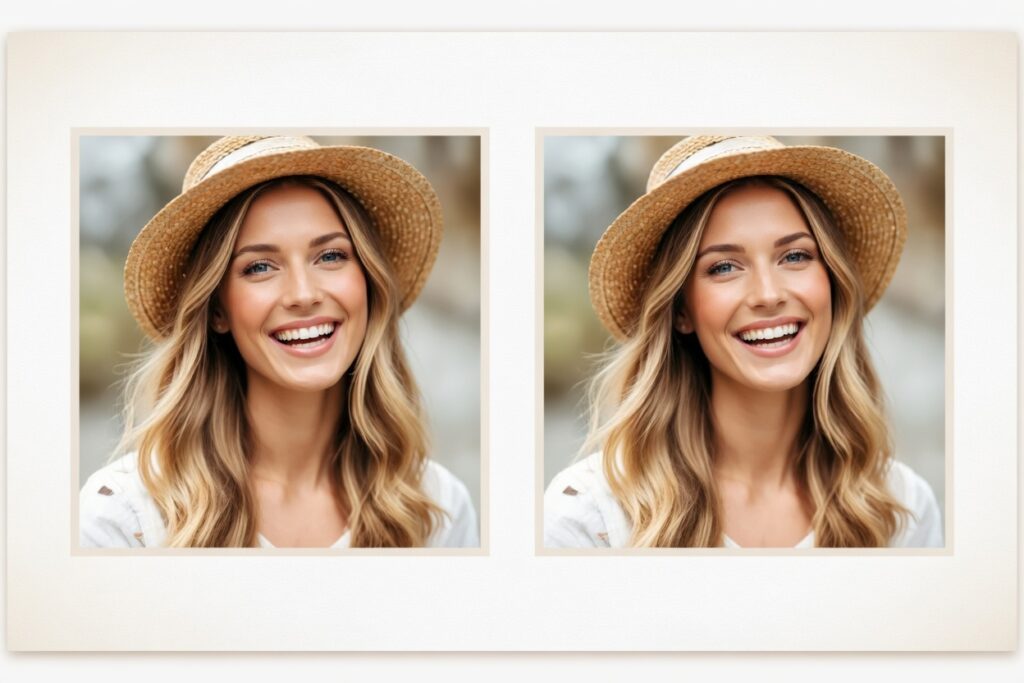
compress image to 100KB online free by uploading your image, selecting 100KB size, and downloading the compressed file.

Reduce image size to 100KB using an image compressor free online without losing quality.

Upload your JPG and PNG  image, choose 100KB size and compress it instantly online.

A good image compressor free online reduces image size quickly wirhout losing quality.

Yes, you can compress image without losing quality using smart online tools.

Scroll to Top