Compress Image to 200KB Online Free
Resize, Crop & Compress Easily with CliptaAI
Processing...
Compress JPG to 200KB Online Free Without losing Quality
In today’s world, images size matters more than ever. Whether you are uploading photos for online forms, exam applications, job portals, or websites, file size limits can create problems. Many platforms require image under a specific size like 200KB, and large files often get rejected.
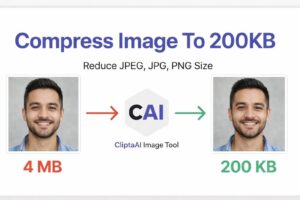
That’s why tools help you compress JPG to 200KB online free are extremely useful. With the right image compressor, you can easily reduce file size while maintaining image clarity and quality.
Why You Need to Compress JPG to 200KB
There are many situations where reducing image size becomes necessary. Most users look for a quick way to reduce image way to reduce image size to 200KB online free without installing any software.
Here are common use cases:
- Government exam forms
- Job application portals
- Online document upload
- Email attachments
- Website image optimization
Using a reliable tool, you can easily compressor photo to 200KB online free and avoid upload errors.
How to Compress JPG to 200KB Online free
If you are wondering how to do it, the process is very simple. You don’t need technical knowledge to compress JPG to 200KB online free.
Follow these steps:
- Upload your JPG image
- Select target size (200KB)
- Click on compress button
- Download the compressed image
This method allows you to use a jpg compressor to 200KB online in just a few seconds.
Compress JPEG to 200kb Without Losing Qaulity
One of the biggest concerns users have is quality loss. Many tools reduce file size but also reduce image clarity. However, modern tools are designed to compress JPG to 200KB without losing quality.
They use smart compression techniques like:
- Removing unnecessary metadata
- Optimizing color depth
- Adjusting resolution intelligently
With these techniques you can compress JPEG image size to 200KB online free while keeping the image sharp and clear.
Reduce Image Size to 200KB Online Free
Reducing image size is not just compression, it also involves resizing and optimization. A good tool helps you reduce image size to 200KB online free by combining multiple methods.
Benefits include:
- Faster Uploads
- Reduced storage usage
- Better website performance
- Improved user experience
Whether you are a student, Professional, or website owner a jpg compressor to 200KB online can save time and effort.
Best JPG Compressor to 200KB Online
Choosing the right tool is important. The best JPG compressor to 200KB should have the following features:
- Fast Compression speed
- No quality loss
- Support for JPG and JPEG formats
- No watermark
- Easy-to-use interface
A good image compressor free online ensures smooth performance and reliable results.
Compress Photo to 200KB for Forms and Documents
Many official websites have strict image size requirements. If your file exceeds the limit, your application may be rejected.
That’s why users prefer tools allow them to compress photo to 200KB online free for:
- Passport size photos
- Exam registration forms
- Government applications
- Resume uploads
Using a trusted tool, you can easily meet these requirements.
Advantages of Using an online JPG Compressor
Using an online tool to compress JPG to 200KB online free offers many advantages:
- No software installation required
- Works on mobile and desktop
- Fast processing
- Free to use
- Secure and private
These tools are designed for convenience and efficiency.
Compress Image Without Losing Quality
Quality is the most important factor when compressing images. Nobody wants blurry or pixelated photos.
A good tool helps you:
- Maintain image clarity
- Preserve colours
- Keep original resolution as much as possible
That’s why users prefer solutions that allow them to compress image without losing quality while still achieving the desired file size.
Tips for Better Image Compression
To get the best results while using a jpg compressor to 200KB online, follow these tips:
- Use high-quality original images
- Avoid compressing the same image multiple times
- Choose the correct format(JPG for photos)
- Adjust dimensions if needed
These small steps can improve the final output significantly.
Common Mistakes to Avoid
While trying to reduce image size to 200KB online free, users often make mistakes such as:
- Over-compressing images
- Using low-quality originals
- Ignoring aspect ratio
- Choosing the wrong format
Avoiding these mistakes ensures better results
Who Can Use JPG Compressor Tools
These tools are useful for everyone:
- Students uploading exam forms
- Job seekers submitting applications
- Bloggers Optimizing images
- Designers resducing file size
- Social media users sharings images
Anyone can use an image compressor free online without technical knowledge.
Internal Linking Strategy
To improve SEO performance, you can create related pages like:
- Compress JPG to 200Kb
- Compress image to 50KB
- Compress image Online Free
Frequently Asked Questions (FAQs)
How to compress JPG to 200KB online free?
Upload your image, select 200KB size, and download the compressed file instantly
Available Options:
5KB. 10KB. 20KB. 30KB. 40KB. 50KB. 100KB. 150KB. 200KB. 300KB. 500KB. 1MB.
Compress image to 200kb, image compressor for android, compress jpg to 200kb, compress photo for website, Reduce image size for mobile, image compressor to 200kb online, image compressor to 200kb online without watermark, image compressor 11zon, passport size photo maker image compressor for you,
Compress Image to 200KB Online Free
That’s when Rohan discovered CliptaAI Image Compressor.
With a bit of hope, he opened the tool and saw a simple, clean interface.
Compress Image to 200KB Online Free
There was an option to upload his image and set the desired size. He selected his photo, entered “200KB,” and clicked on the compress button. Within seconds, the tool processed his image and provided a perfectly compressed file—exactly 200KB, without losing quality.
Rohan was surprised. The image still looked sharp and professional, just like the original. No blur, no distortion. It felt like magic.
He quickly uploaded the compressed image to the application portal, and this time, it worked without any error. A wave of relief washed over him. What seemed like a small problem could have cost him a big opportunity, but the right tool made all the difference.
From that day on, Rohan started using CliptaAI for all his image-related tasks. Whether it was compressing photos for job applications, resizing passport images, or reducing file sizes for online forms, the tool handled everything effortlessly.
He even recommended it to his friends, many of whom faced the same issue. Soon, CliptaAI became their go-to solution for image compression.
This simple experience taught Rohan an important lesson: in a digital world full of limitations, having the right tools can save time, reduce stress, and open doors to new opportunities.
If you ever find yourself struggling with image size limits, just like Rohan did, remember that compressing your image to 200KB doesn’t have to be complicated. With the right solution, it can be done in seconds—quickly, easily, and without compromising quality